![[H]ard|Forum](/styles/hardforum/xenforo/logo_dark.png)
ASUS P5E-VM HDMI
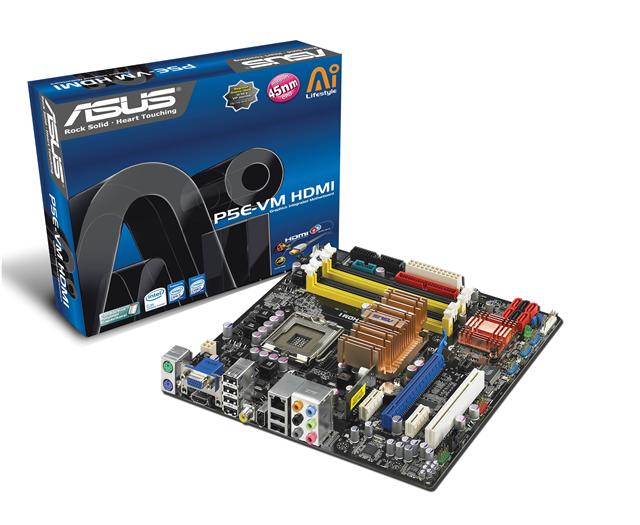

the new G35 will be released soon!
It might be the P5K-VM killer which is at the moment the best matx board in my opinion!
Futuring the igp intel GMA X3500 dx10 ready
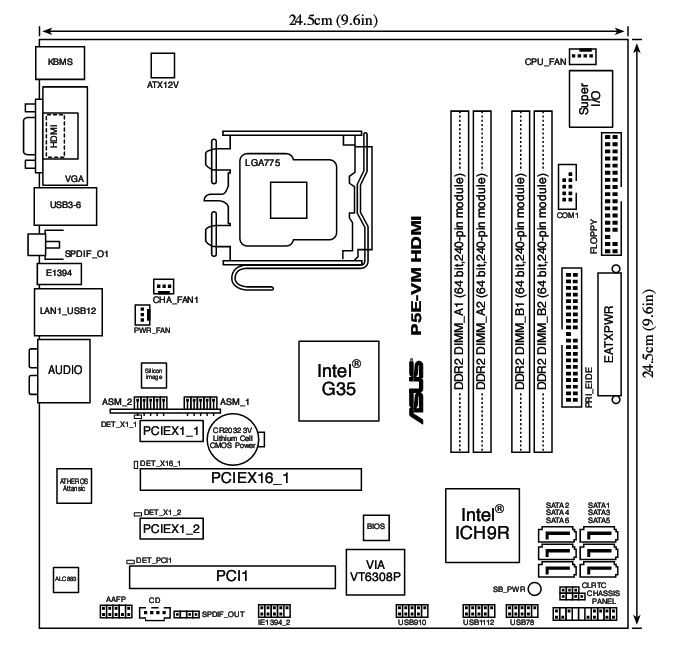


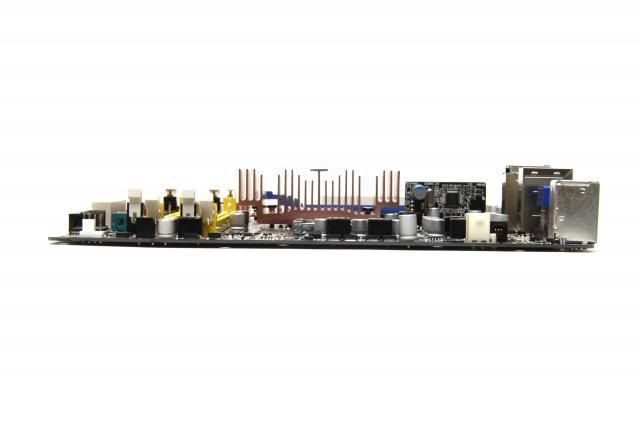
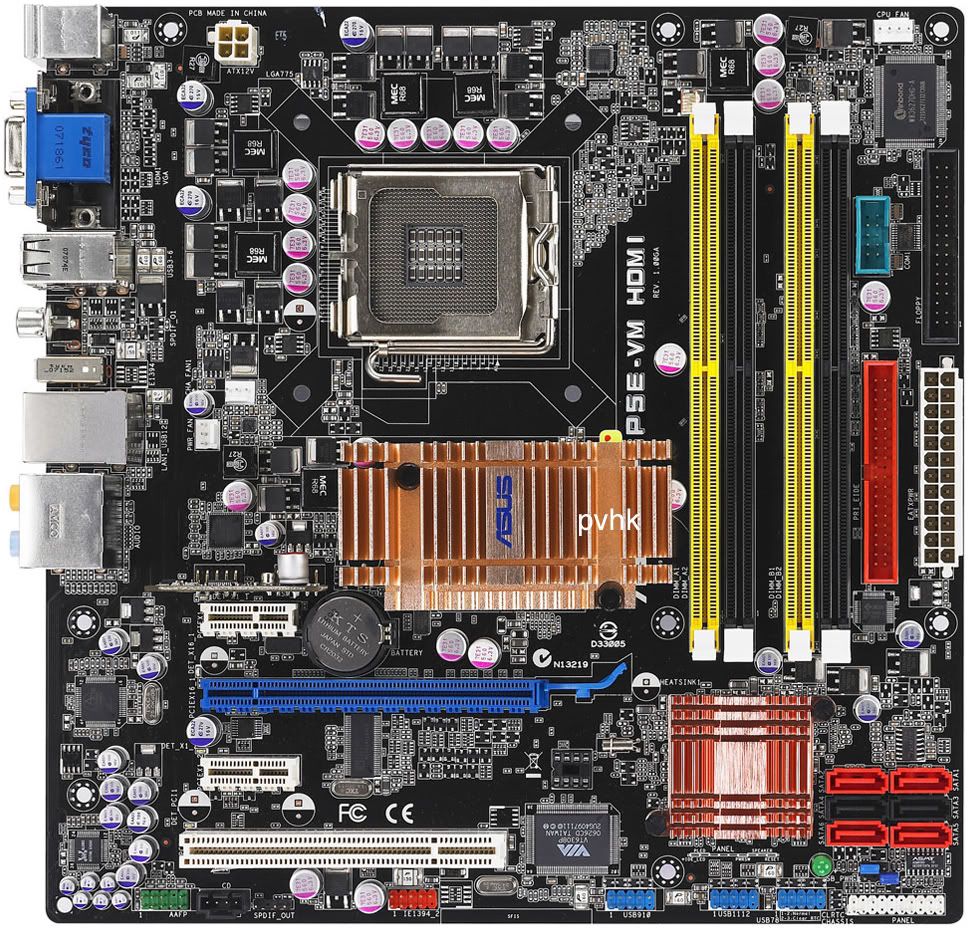
Full solid caps
Black PCB apparently
ICH9R: so full raid abilities like the G33M-DS2R
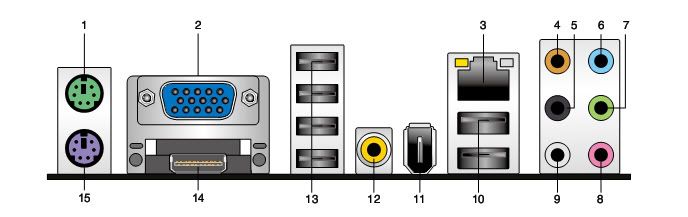
HDMI out with DVI adapter
SPDIF out like the P5K-VM
IEE1394 with VIA
Atheros L1 PCI-E Gb LAN
support nex gen 45nm cpu
look at the bios options!!! unbelievable!
vDRAM
vChipset (NB)
vFSB
vChipset (CPU PLL)
Memory tuning from 533mhz to 1333mhz!
CPU Voltage Auto]
[Auto] [1.7000V]
[1.6875V] [1.6750V] [1.6625V] [1.6500V] [1.6375V] [1.6250V] [1.6125V] [1.6000V]
[1.5875V] [1.5750V] [1.5625V] [1.5500V] [1.5375V] [1.5250V] [1.5125V] [1.5000V]
[1.4875V] [1.4750V] [1.4625V] [1.4500V] [1.4375V] [1.4250V] [1.4125V] [1.4000V]
[1.3875V] [1.3750V] [1.3625V] [1.3500V] [1.3375V] [1.3250V] [1.3125V] [1.3000V]
[1.2875V] [1.2750V] [1.2625V] [1.2500V] [1.2375V] [1.2250V] [1.2125V] [1.2000V]
[1.1875V] [1.1750V] [1.1625V] [1.1500V] [1.1375V] [1.1250V] [1.1125V] [1.1000V]
CPU Voltage Reference [Auto]
Configuration options: [Auto] [0.63x] [0.61x] [0.59x] [0.57x]
CPU Voltage Damper no more vdroop??
Configuration options: [Auto] [Disabled] [Enabled]
PLL Voltage [Auto] +++
Configuration options: [Auto] [1.50V] [1.52V] [1.54V] [1.56V] ~ [1.76V] [1.78V]
DRAM Voltage [Auto]
Configuration options: [Auto] [1.80V] [1.82V] [1.84V] ~ [2.40V] [2.42V] [2.44V]
FSB Termination Voltage [Auto] +++
Configuration options: [Auto] [1.20V] [1.22V] [1.24V] ~ [1.46V] [1.48V] [1.50V]
Setting a high FSB termination voltage may damage the chipset and CPU.
North Bridge Voltage [Auto]+++
Configuration options: [Auto] [1.25V] [1.27V] [1.29V] ~ [1.67V] [1.69V] [1.71V]
North Bridge Voltage Reference [Auto]
Configuration options: [Auto] [0.67x] [0.61x]
South Bridge Voltage [Auto]
Configuration options: [Auto] [1.05V] [1.20V]
Some of the following items appear when you set
AI Overclocking
to [Manual]
and [N.O.S.]
CPU Ratio Control
[Auto] [Manual]
The following item appears when the CPU Ratio Control item is set to [Manual].
Ratio CMOS Setting [9]
Use the <+> and <-> keys to select the CMOS ratio values.
FSB Strap to North Bridge [Auto]+++
FSB Strap will be adjusted automatically by FSB Frequency and DRAM Frequency.
[Auto] [200MHz] [266MHz] [333MHz].
http://www.hardforum.com/showpost.php?p=1031741754&postcount=131
PCIE Frequency
[Auto] [100] [101] ~ [149] [150]
DRAM Frequency
[Auto] [DDR2-667MHz] [DDR2-800MHz] [DDR2-834MHz]
[DDR2-888MHz] [DDR2-1000MHz] [DDR2-1112MHz] [DDR2-1333MHz]
DRAM Timing Control [Auto]
Allows you to set the DRAM timing control. Configuration options: [Auto] [Manual]
FSB/CPU External Frequency Synchronization
FSB Frequency [333]
Displays the frequency sent by the clock generator to the system bus and PCI bus.
The value of this item is auto-detected by the BIOS. Use the <+> and <-> keys to
adjust the FSB frequency.
The values range from 200 to 800.
asus P5E-VM
cpu support
cannot wait....I want it bad!!
The motherboard
The test
Other tests on the web:
http://www.silentpcreview.com/article785-page1.html
http://www.vr-zone.com/articles/Asus_P5E-VM_HDMI/5427-1.html
http://www.ocworkbench.com/2007/asus/p5e-vm-hdmi/g1.htm
the new G35 will be released soon!
It might be the P5K-VM killer which is at the moment the best matx board in my opinion!
Futuring the igp intel GMA X3500 dx10 ready
Full solid caps
Black PCB apparently
ICH9R: so full raid abilities like the G33M-DS2R
HDMI out with DVI adapter
SPDIF out like the P5K-VM
IEE1394 with VIA
Atheros L1 PCI-E Gb LAN
support nex gen 45nm cpu
look at the bios options!!! unbelievable!
vDRAM
vChipset (NB)
vFSB
vChipset (CPU PLL)
Memory tuning from 533mhz to 1333mhz!
CPU Voltage Auto]
[Auto] [1.7000V]
[1.6875V] [1.6750V] [1.6625V] [1.6500V] [1.6375V] [1.6250V] [1.6125V] [1.6000V]
[1.5875V] [1.5750V] [1.5625V] [1.5500V] [1.5375V] [1.5250V] [1.5125V] [1.5000V]
[1.4875V] [1.4750V] [1.4625V] [1.4500V] [1.4375V] [1.4250V] [1.4125V] [1.4000V]
[1.3875V] [1.3750V] [1.3625V] [1.3500V] [1.3375V] [1.3250V] [1.3125V] [1.3000V]
[1.2875V] [1.2750V] [1.2625V] [1.2500V] [1.2375V] [1.2250V] [1.2125V] [1.2000V]
[1.1875V] [1.1750V] [1.1625V] [1.1500V] [1.1375V] [1.1250V] [1.1125V] [1.1000V]
CPU Voltage Reference [Auto]
Configuration options: [Auto] [0.63x] [0.61x] [0.59x] [0.57x]
CPU Voltage Damper no more vdroop??
Configuration options: [Auto] [Disabled] [Enabled]
PLL Voltage [Auto] +++
Configuration options: [Auto] [1.50V] [1.52V] [1.54V] [1.56V] ~ [1.76V] [1.78V]
DRAM Voltage [Auto]
Configuration options: [Auto] [1.80V] [1.82V] [1.84V] ~ [2.40V] [2.42V] [2.44V]
FSB Termination Voltage [Auto] +++
Configuration options: [Auto] [1.20V] [1.22V] [1.24V] ~ [1.46V] [1.48V] [1.50V]
Setting a high FSB termination voltage may damage the chipset and CPU.
North Bridge Voltage [Auto]+++
Configuration options: [Auto] [1.25V] [1.27V] [1.29V] ~ [1.67V] [1.69V] [1.71V]
North Bridge Voltage Reference [Auto]
Configuration options: [Auto] [0.67x] [0.61x]
South Bridge Voltage [Auto]
Configuration options: [Auto] [1.05V] [1.20V]
Some of the following items appear when you set
AI Overclocking
to [Manual]
and [N.O.S.]
CPU Ratio Control
[Auto] [Manual]
The following item appears when the CPU Ratio Control item is set to [Manual].
Ratio CMOS Setting [9]
Use the <+> and <-> keys to select the CMOS ratio values.
FSB Strap to North Bridge [Auto]+++
FSB Strap will be adjusted automatically by FSB Frequency and DRAM Frequency.
[Auto] [200MHz] [266MHz] [333MHz].
http://www.hardforum.com/showpost.php?p=1031741754&postcount=131
PCIE Frequency
[Auto] [100] [101] ~ [149] [150]
DRAM Frequency
[Auto] [DDR2-667MHz] [DDR2-800MHz] [DDR2-834MHz]
[DDR2-888MHz] [DDR2-1000MHz] [DDR2-1112MHz] [DDR2-1333MHz]
DRAM Timing Control [Auto]
Allows you to set the DRAM timing control. Configuration options: [Auto] [Manual]
FSB/CPU External Frequency Synchronization
FSB Frequency [333]
Displays the frequency sent by the clock generator to the system bus and PCI bus.
The value of this item is auto-detected by the BIOS. Use the <+> and <-> keys to
adjust the FSB frequency.
The values range from 200 to 800.
asus P5E-VM
cpu support
cannot wait....I want it bad!!
The motherboard
The test
Other tests on the web:
http://www.silentpcreview.com/article785-page1.html
http://www.vr-zone.com/articles/Asus_P5E-VM_HDMI/5427-1.html
http://www.ocworkbench.com/2007/asus/p5e-vm-hdmi/g1.htm
