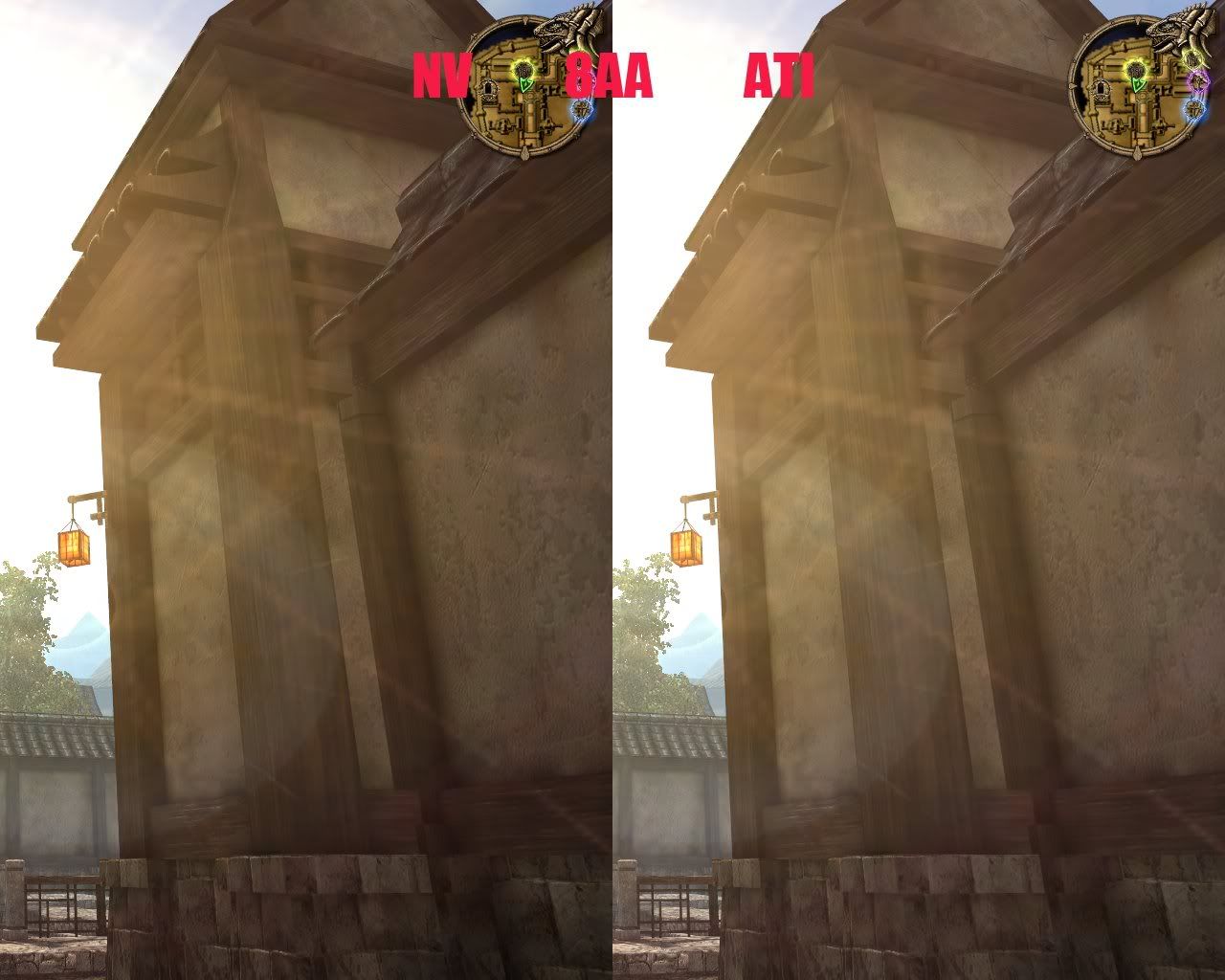
AA comparison of ATI and NV in games

walkingdog

n00b
Joined
Sep 3, 2008
Messages
38
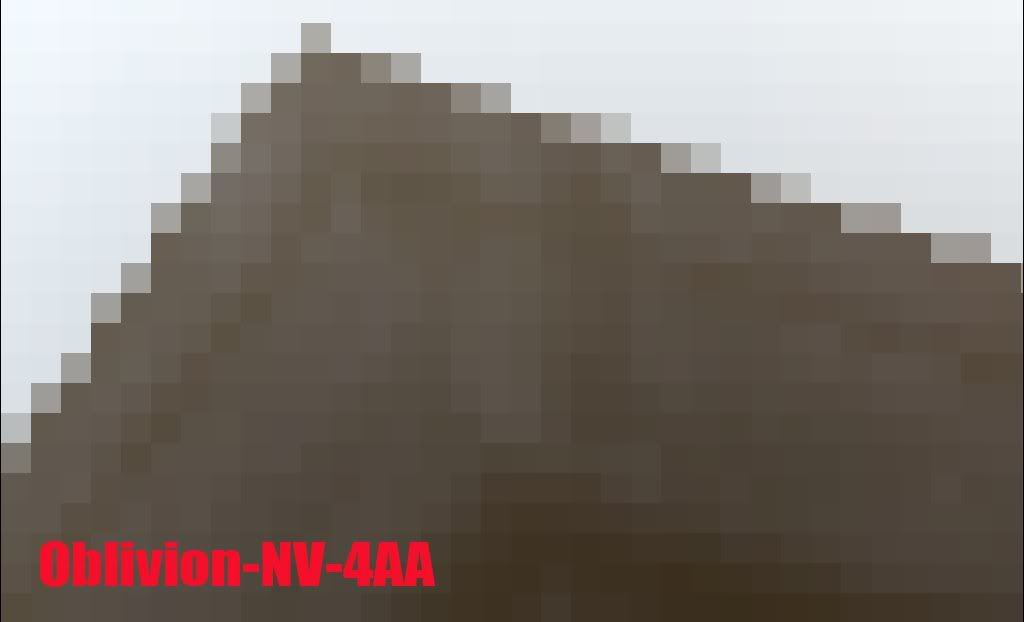
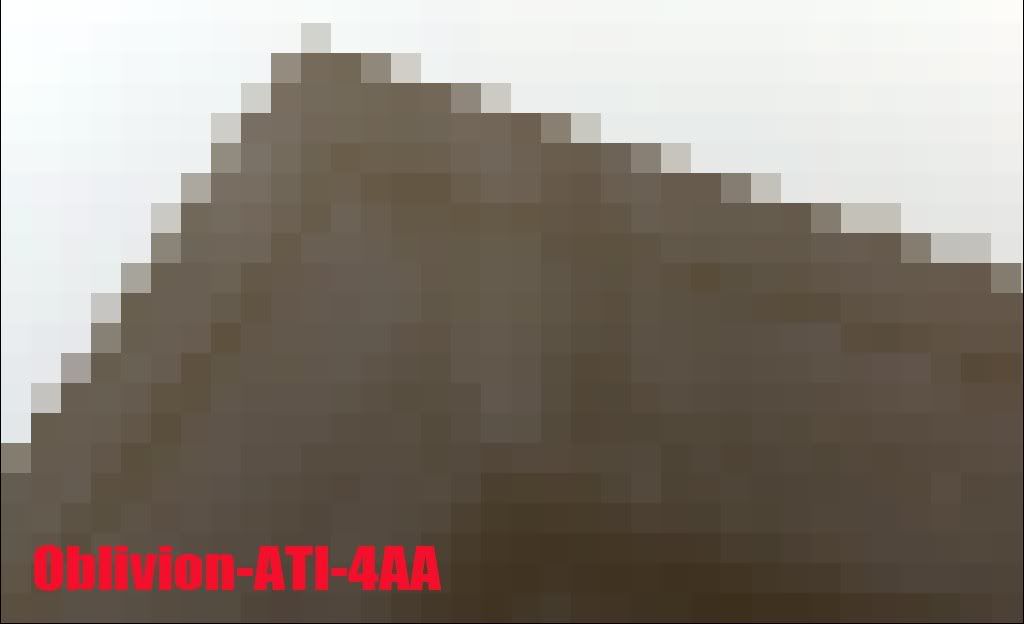
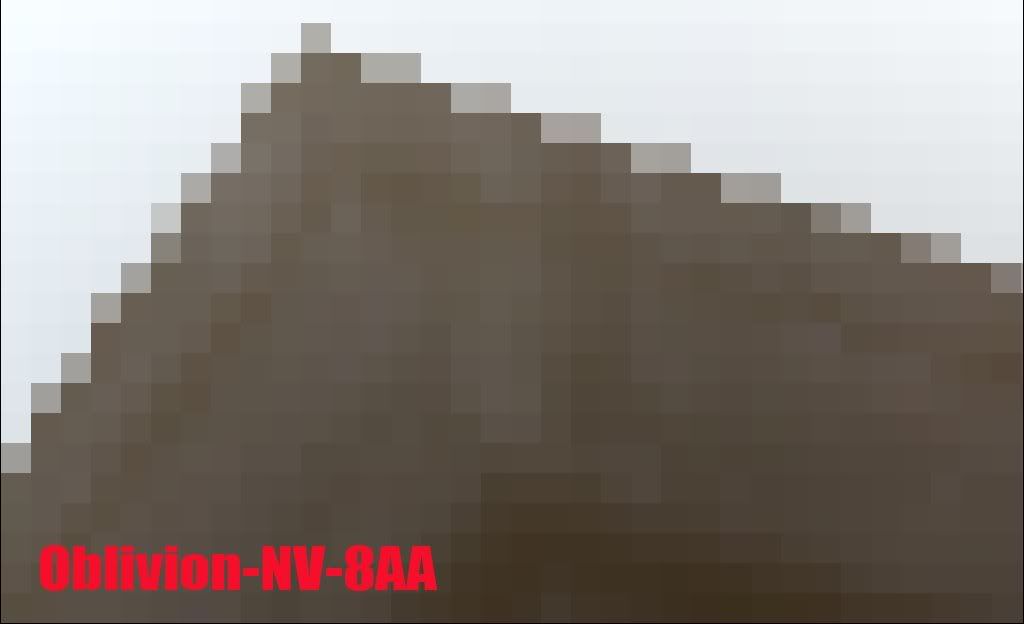
I find that Ati’s AA is better than NV,
but while enjoying a game you may ignore the difference.
Generally speaking, more than 4AA setting in game will be hard to discover the difference, but if you have some patience to take a look, you will find they are not always the same!

I use two computers to test the AA quality of ATI and NV,
but with the same monitor(benq fp737s).
computer 1:
E6300, 2GB RAM, HD4850
computer 2:
E8400, 2GB RAM, MSI 8800GT OC

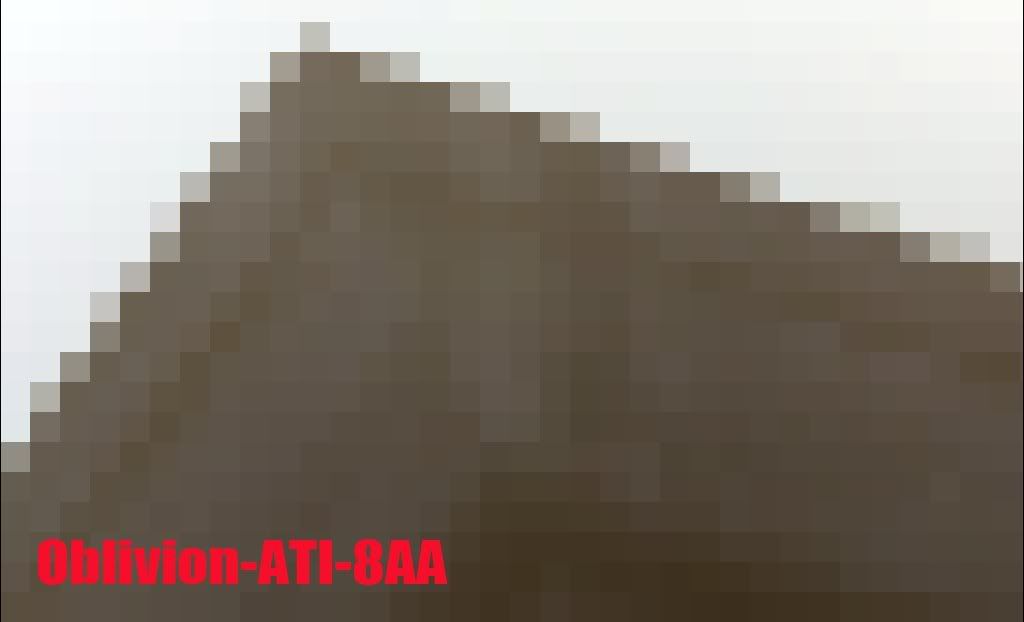
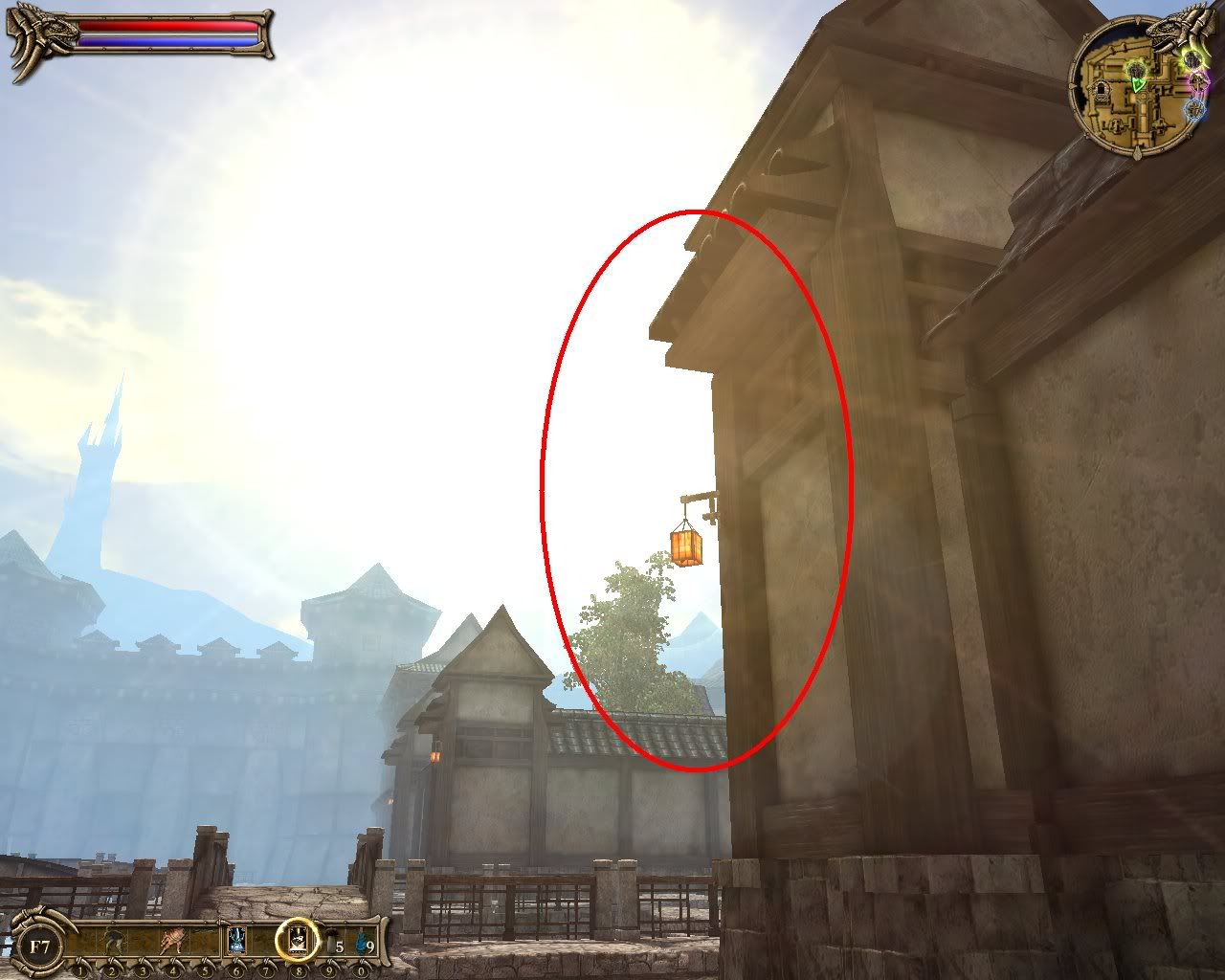
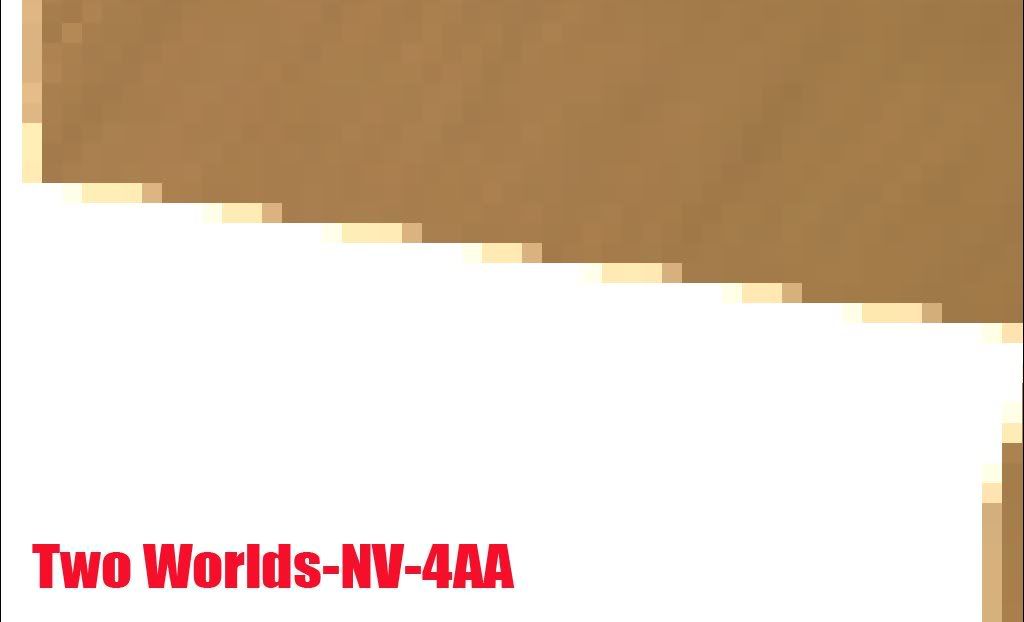
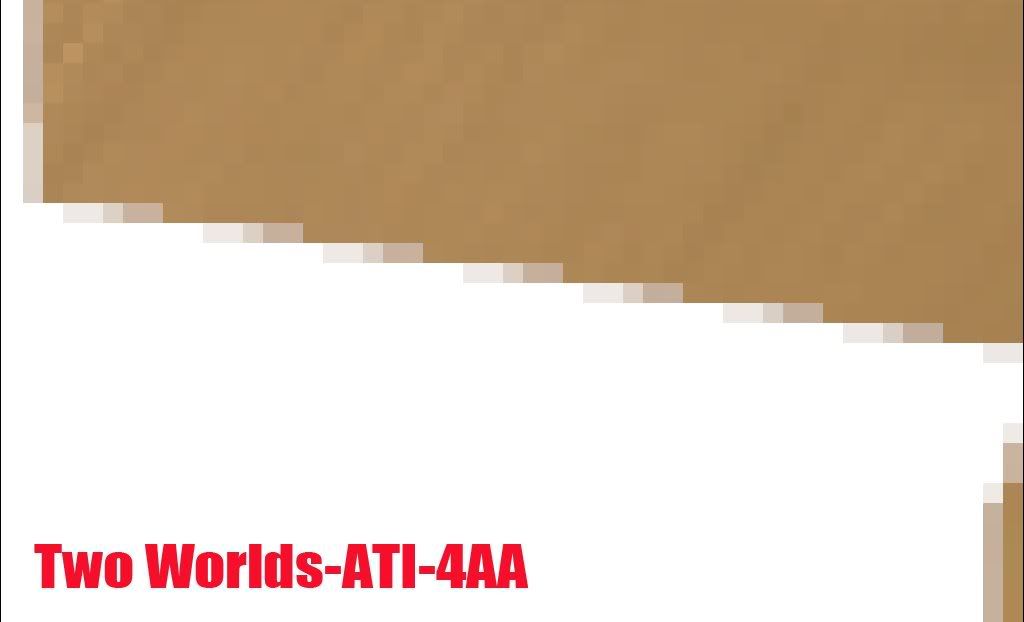
The games I tested were TES4:OBLIVION and Two Worlds,
AF was set to 8x by driver,and AA set to 2x、4x、8x,
so I can compare the difference.
Although the drivers of ATI and NV both have advanced settings in AA,
I ignore them. I only test the general settings of AA that everybody may use in game,
and many benchmarks found on www may be the same!

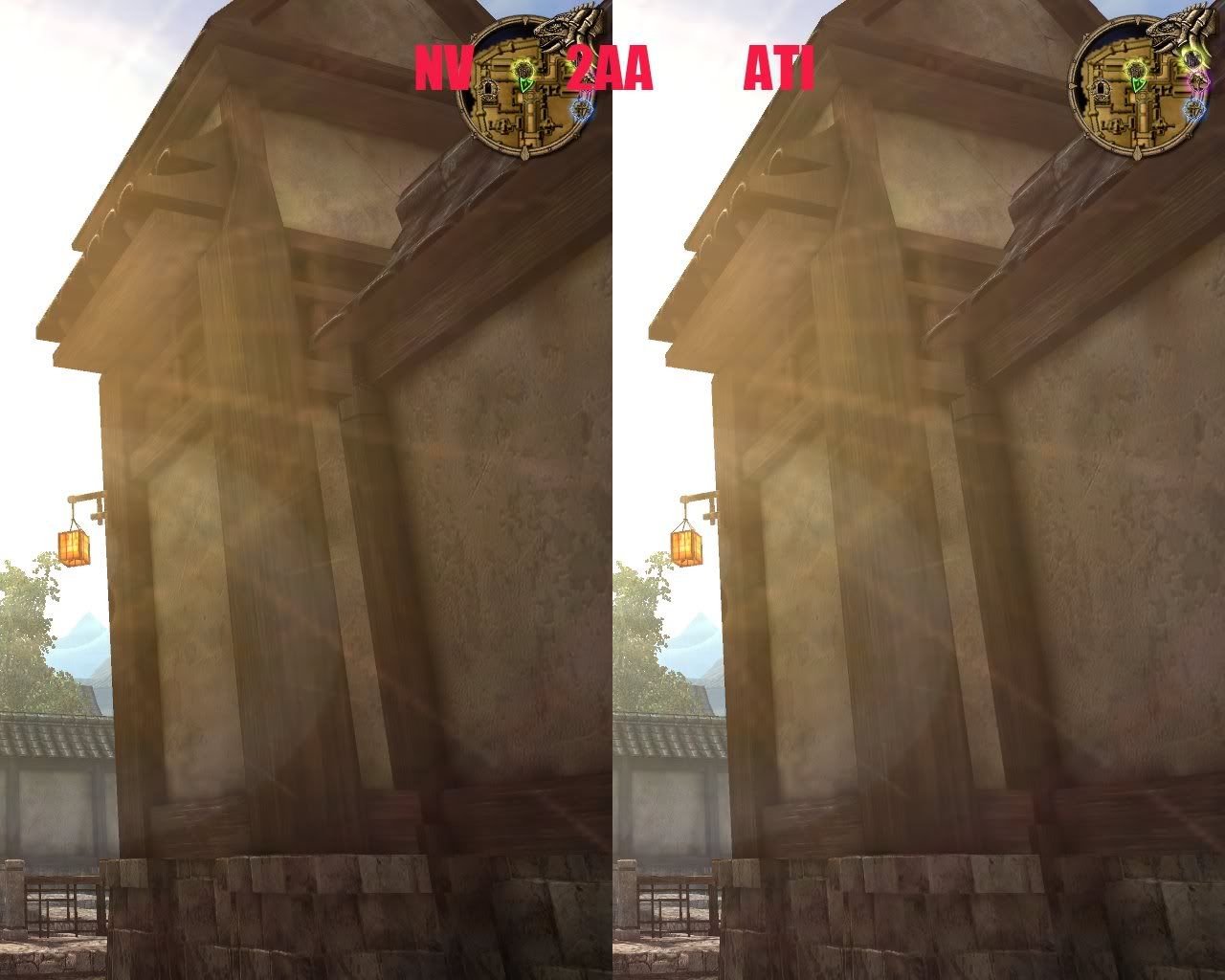
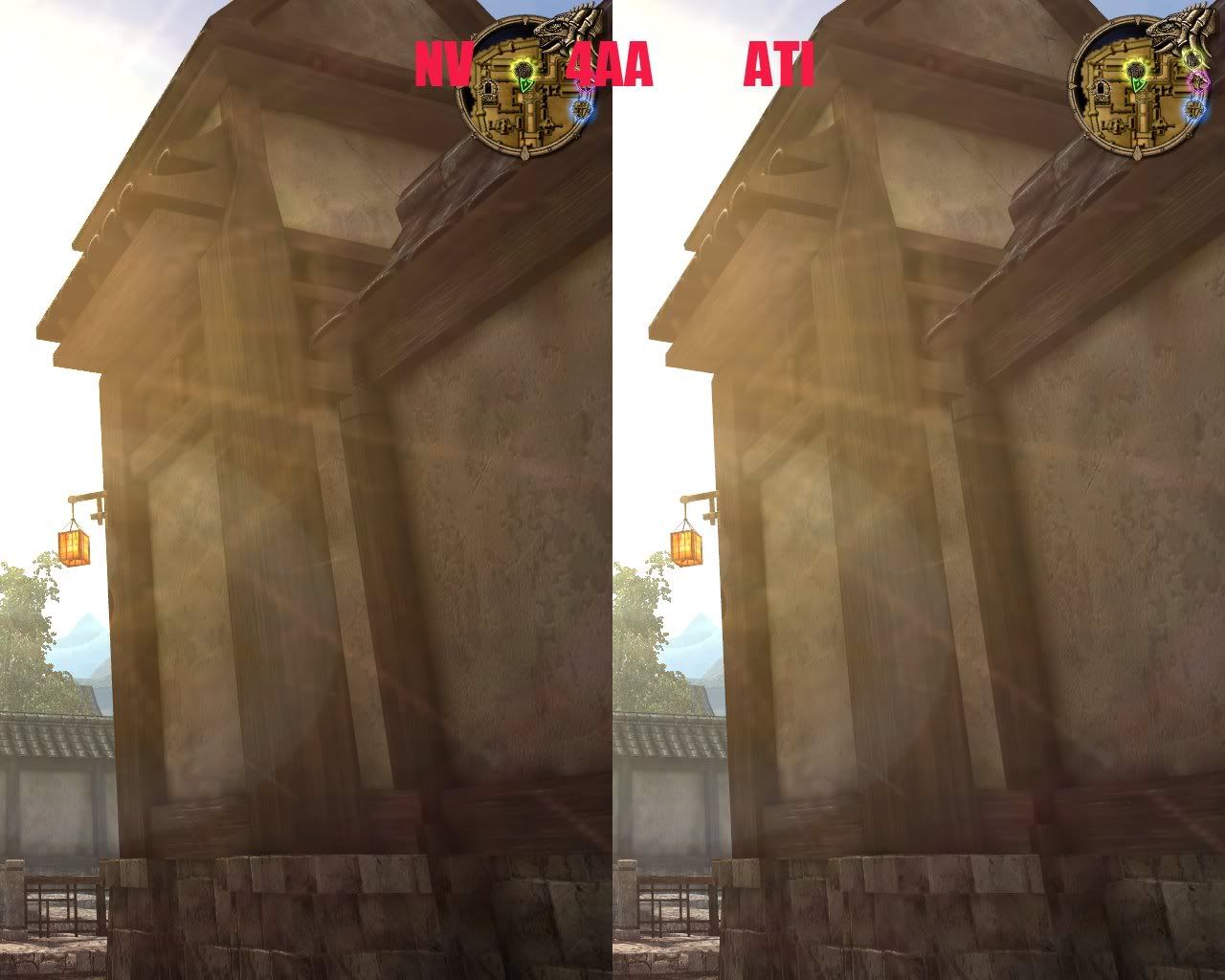
oblivion
2aa
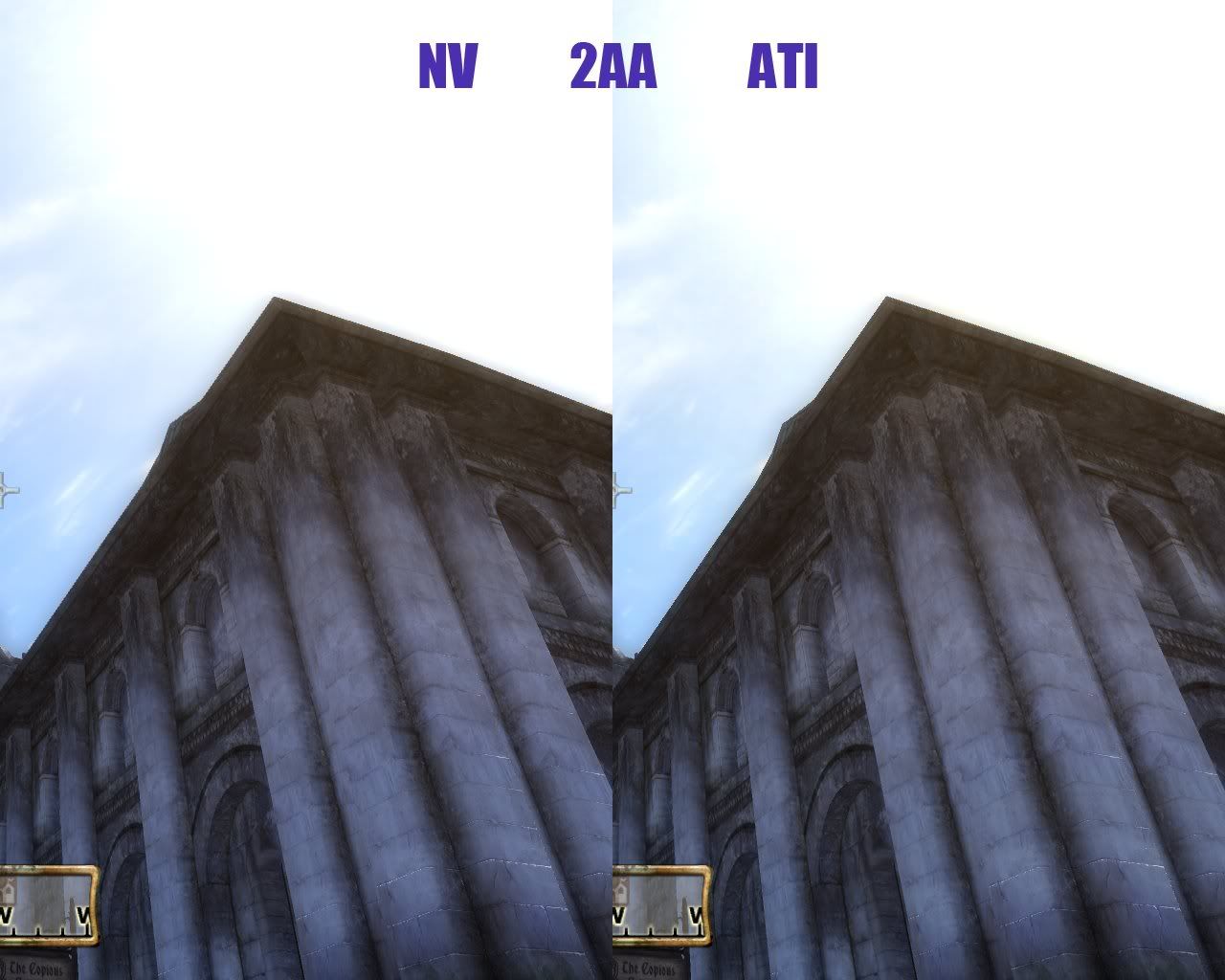
Oblivion2AA.jpg


4aa
Oblivion4AA.jpg


8aa
Oblivion8AA.jpg


two worlds
2aa
TwoWorlds2AA.jpg


4aa
TwoWorlds4AA.jpg


8aa
TwoWorlds8AA.jpg


---------------------------------------------------------------

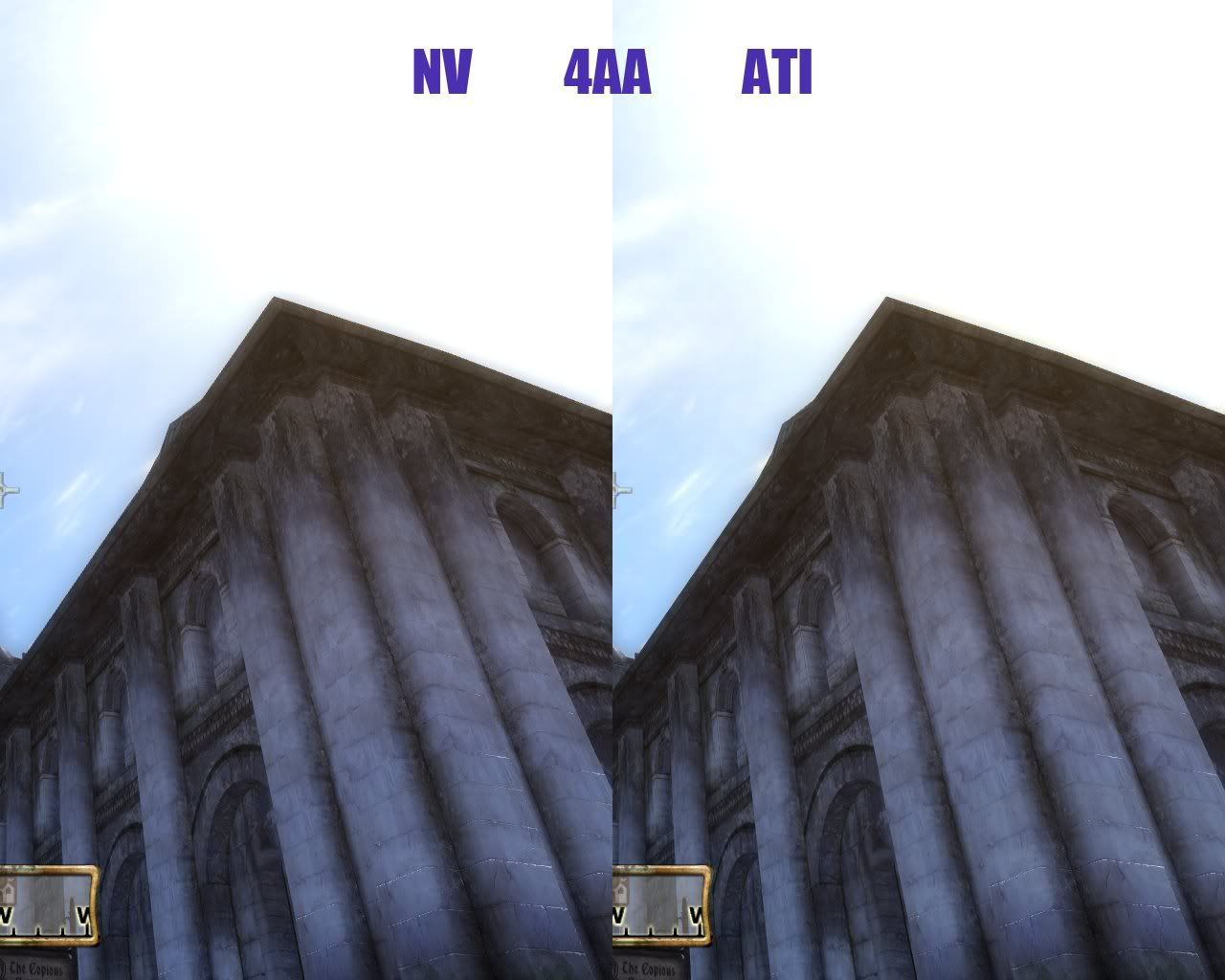
oblivion
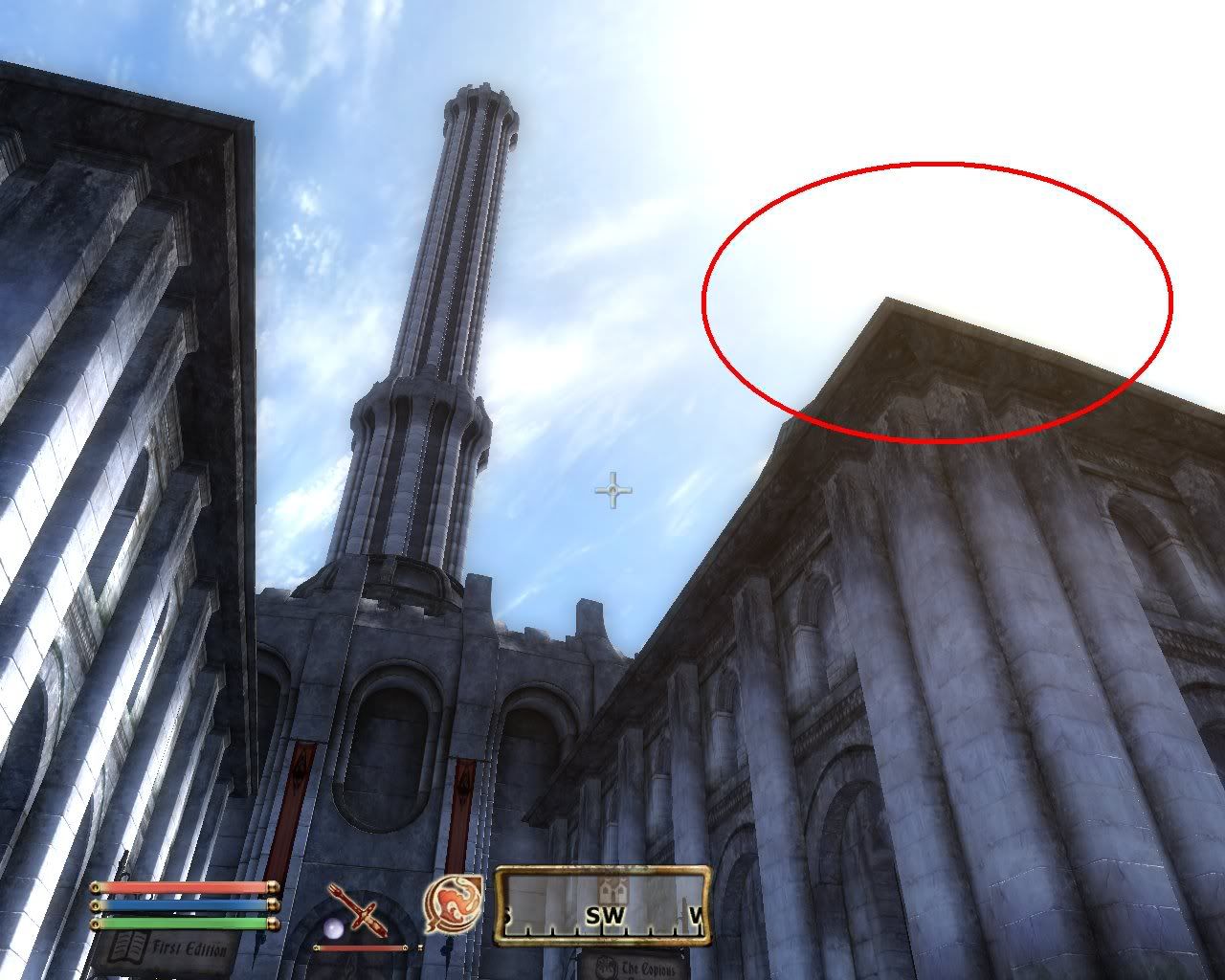
Oblivion.jpg


4xaa
ob-nv-4aa.jpg

ob-ati-4aa.jpg


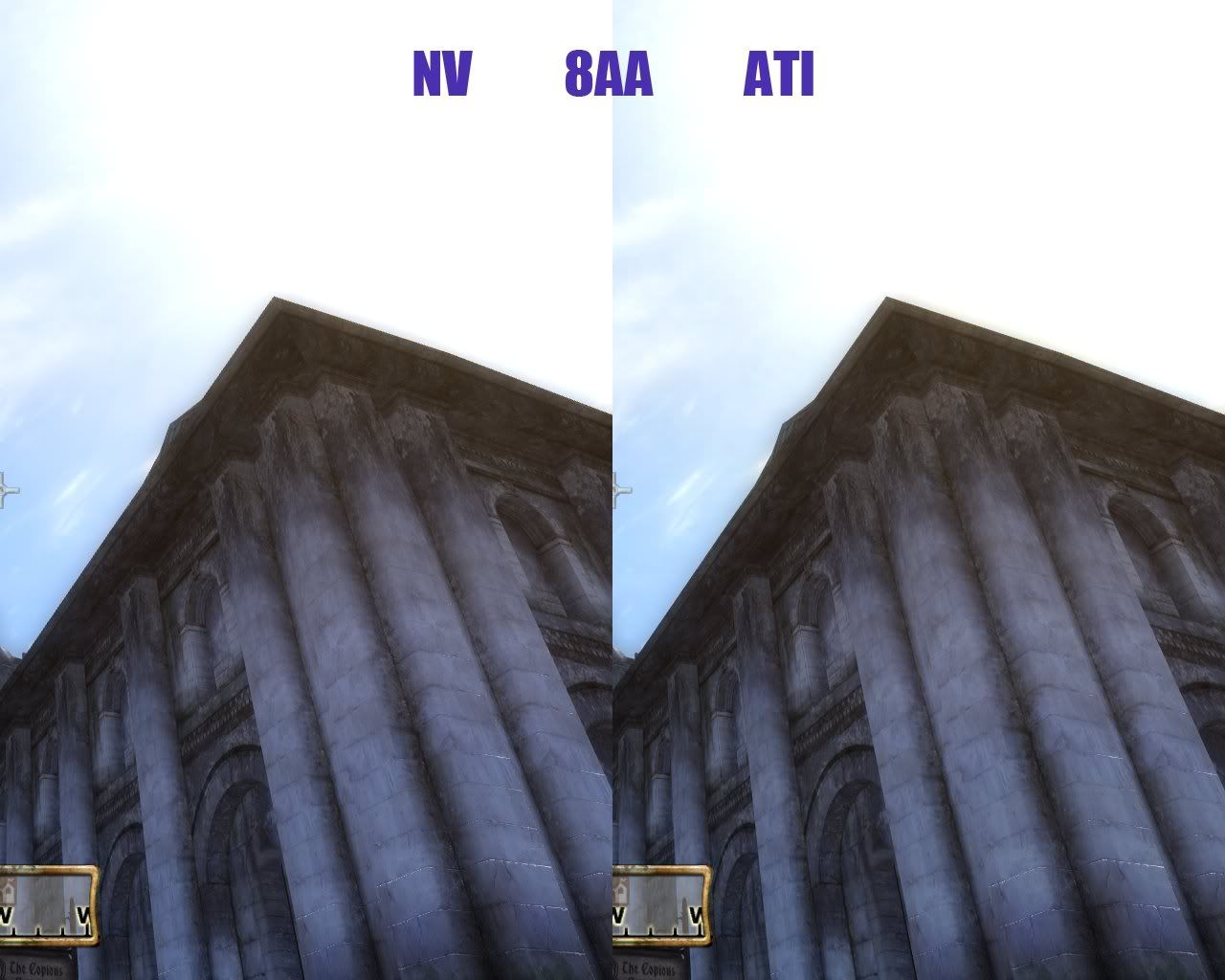
8xaa
ob-nv-8aa.jpg

ob-ati-8aa.jpg


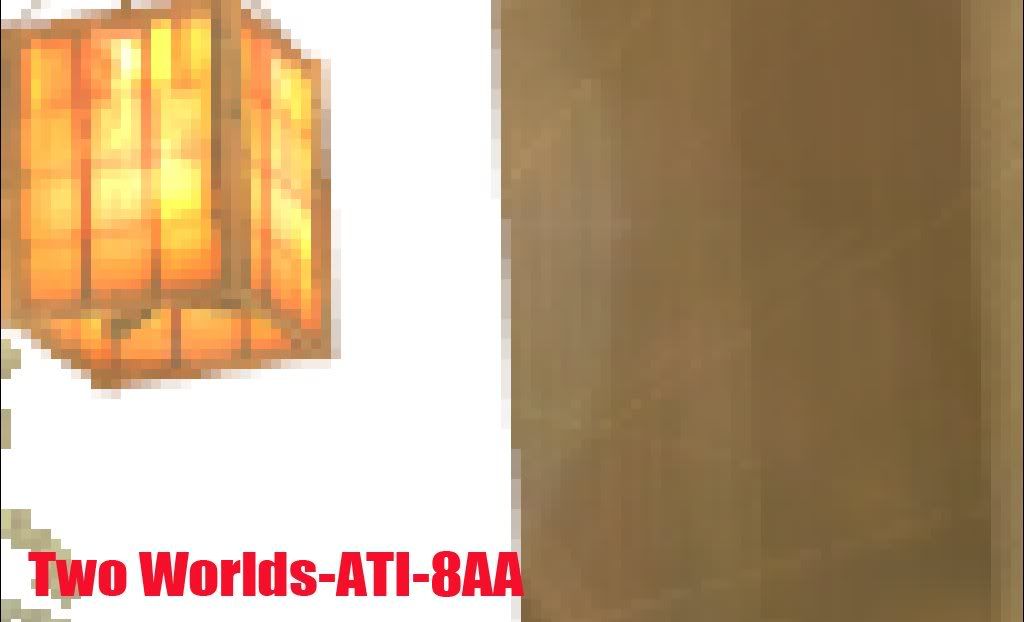
Two worlds
TwoWorlds.jpg


4aa
tw-nv-4aa.jpg

tw-ati-4aa.jpg


8aa
tw-nv-8aa.jpg

tw-ati-8aa.jpg


-------------------------------------------------------------------------
-------------------------------------------------------------------------
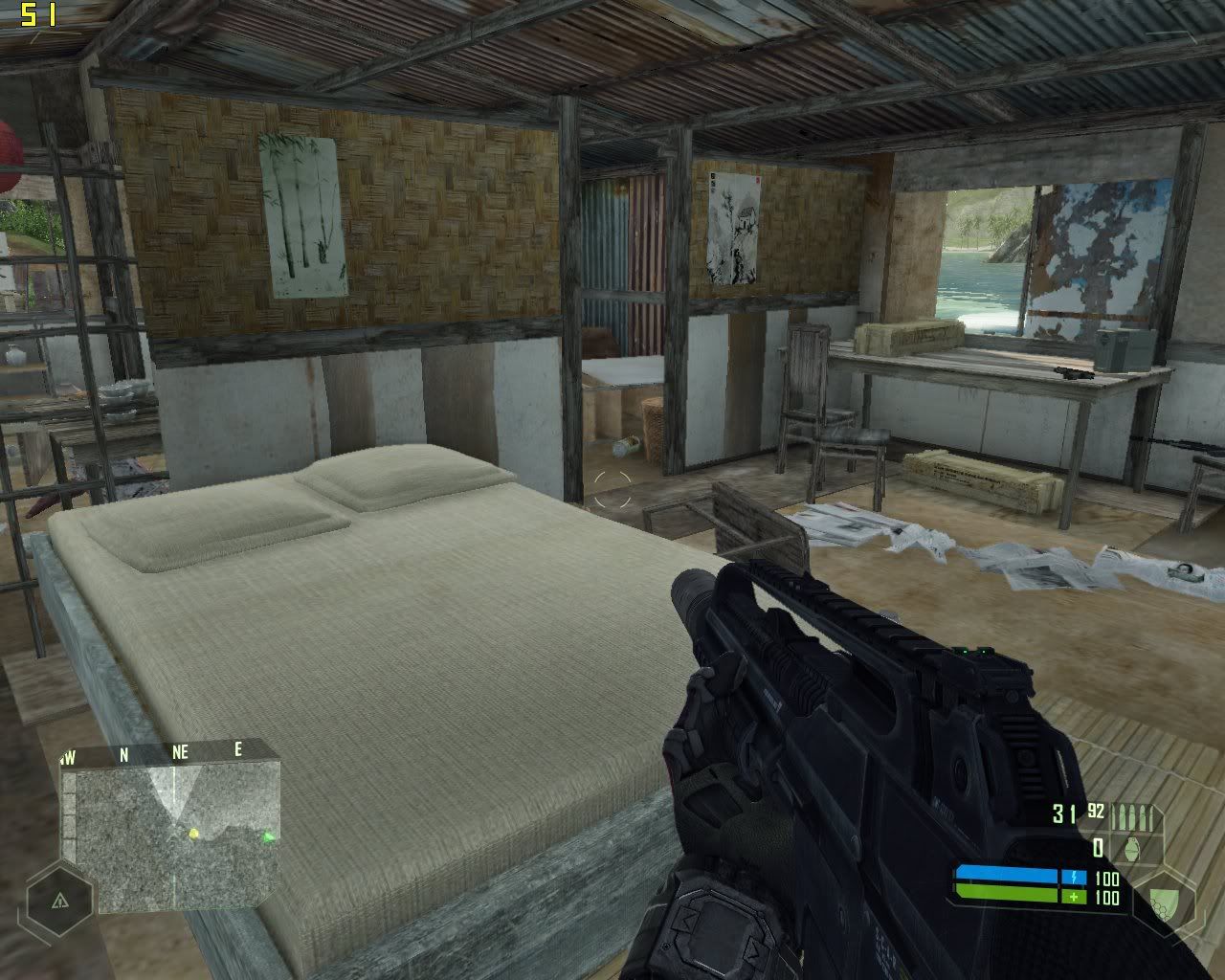
The following is the AA test of crysis!
Under windows xp sp2, the video quality all set to high.
(It’s a pity I can’t use 8xq and 16xq in crysis with my 8800gt,
the AA setting will become 0AA when applied)
ATI’s TENT and EDGE AA mode should be switched by driver!
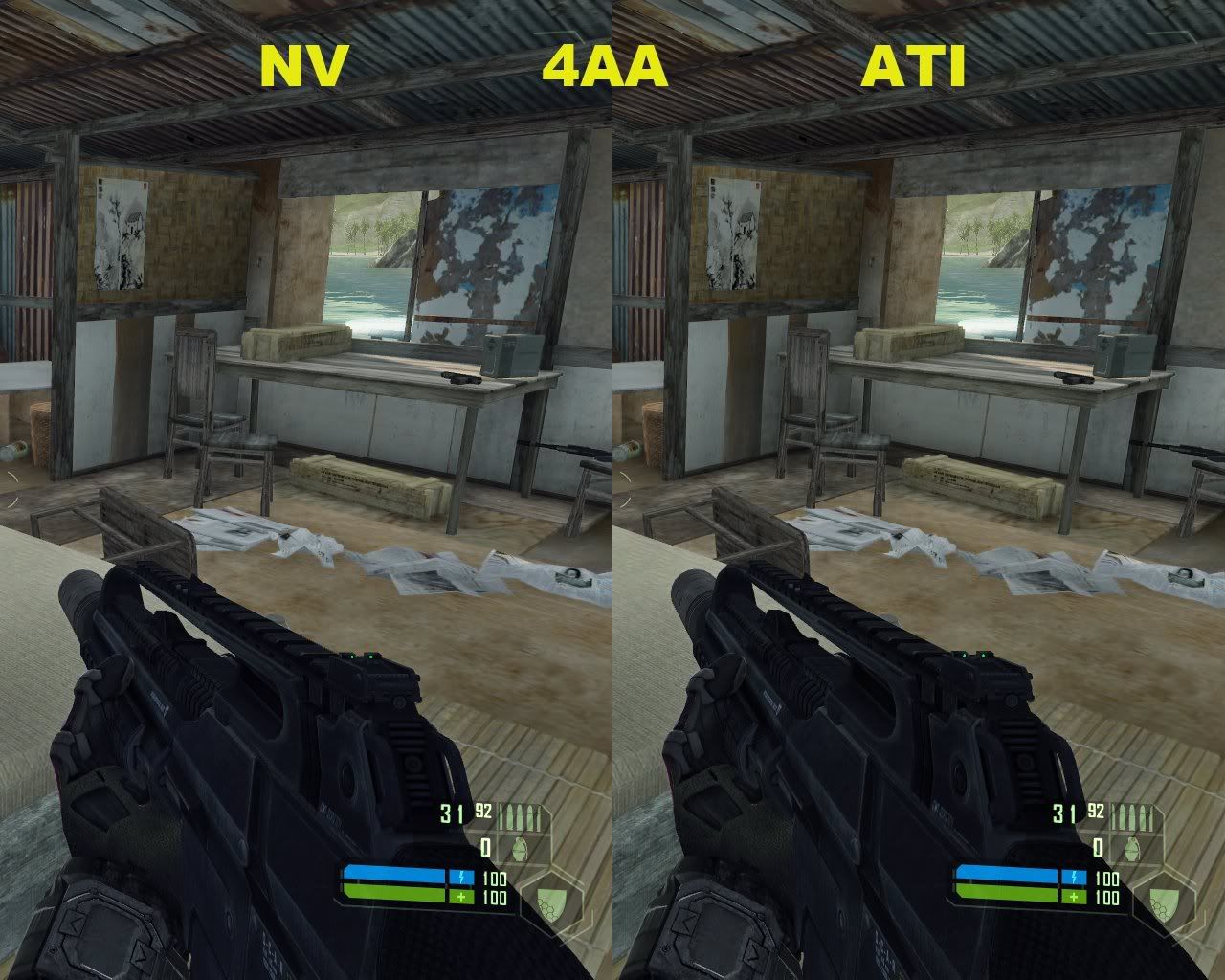
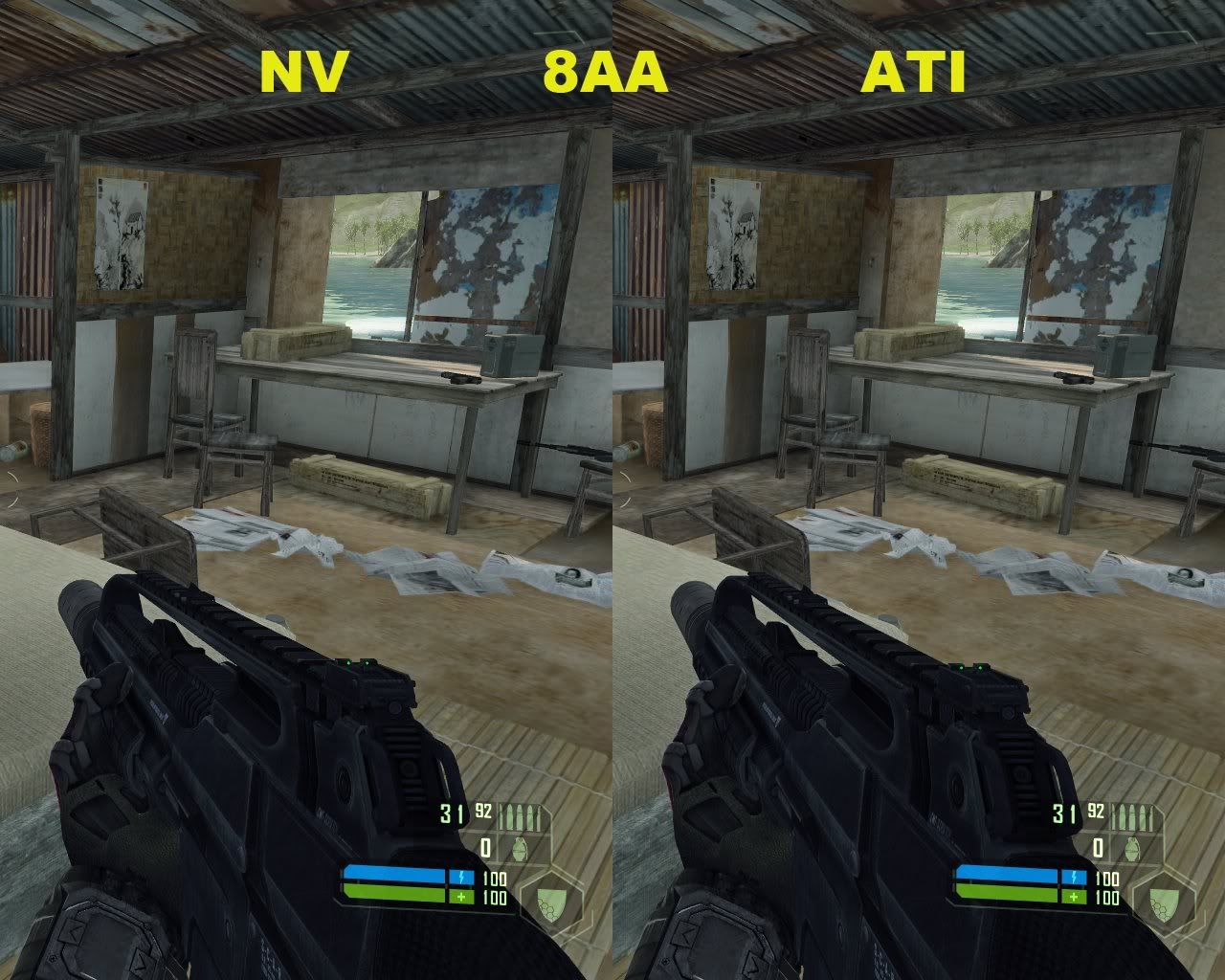
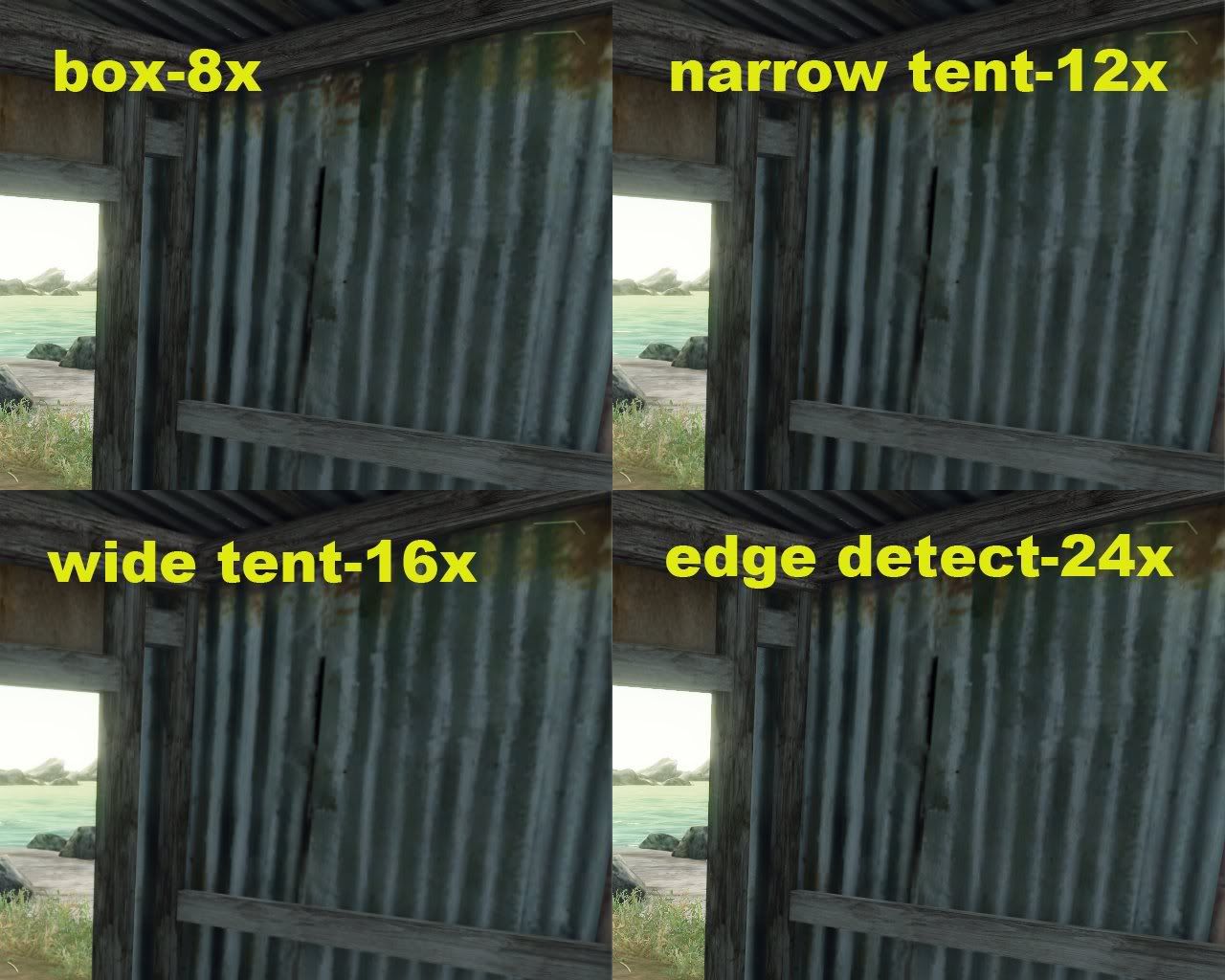
The following is the comparison of 4AA and 8AA,
and you should take a look on the frame of the window.

Original (no AA)
noaa-1.jpg


4AA
4aa.jpg


8AA
8aa.jpg


-------------------------------------------------------------------------------------------

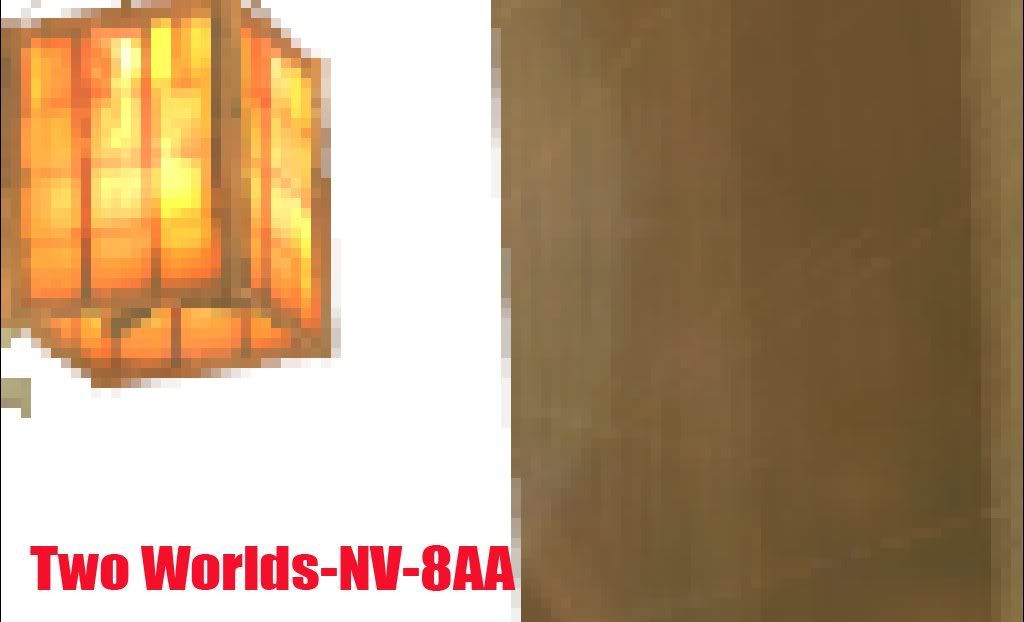
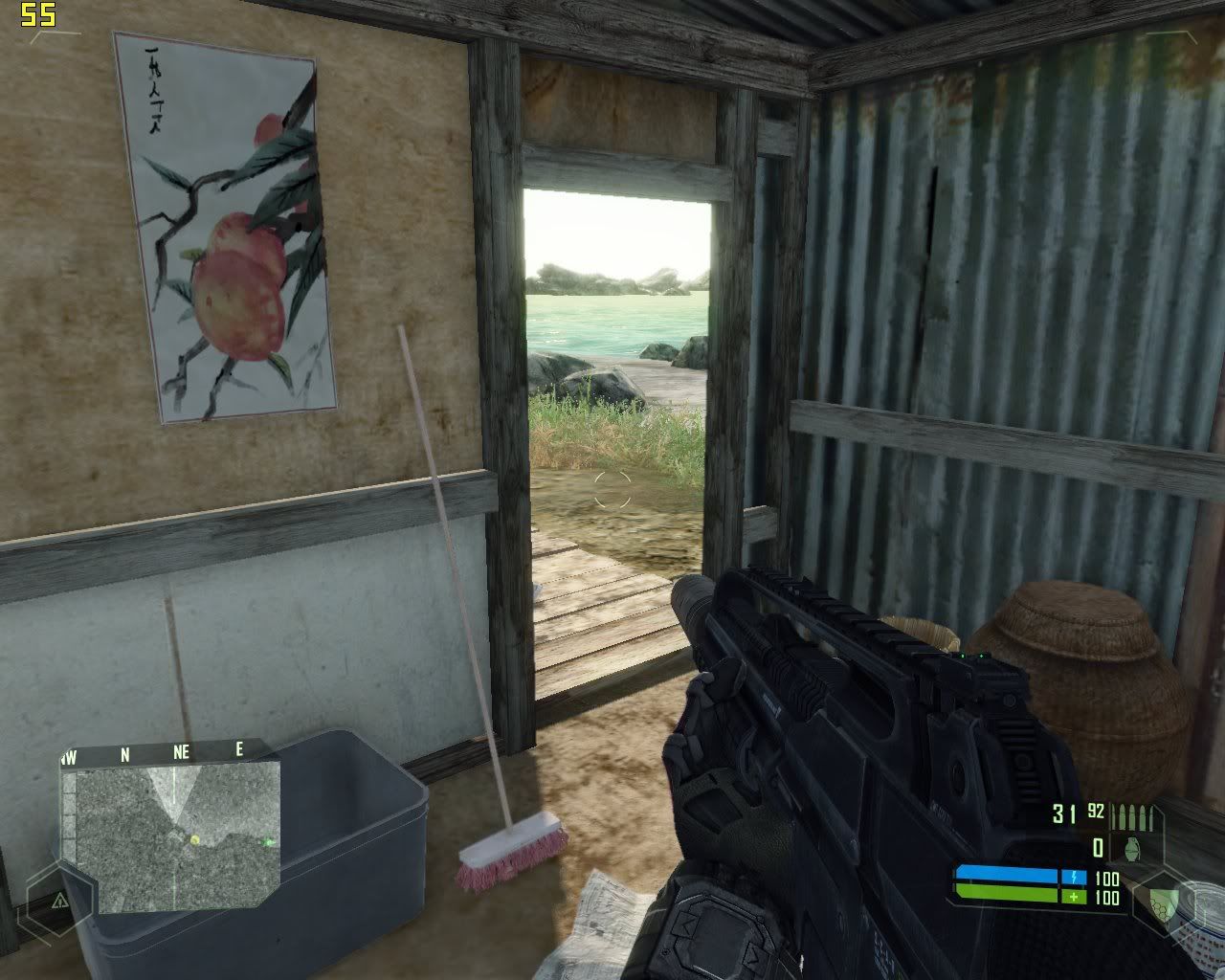
AA test of facing lightsource
Original ( no AA)
noaa-2.jpg


ATI
ATI-aa-1.jpg


ATI-aa-2.jpg


NV
nv-8aa16aa.jpg


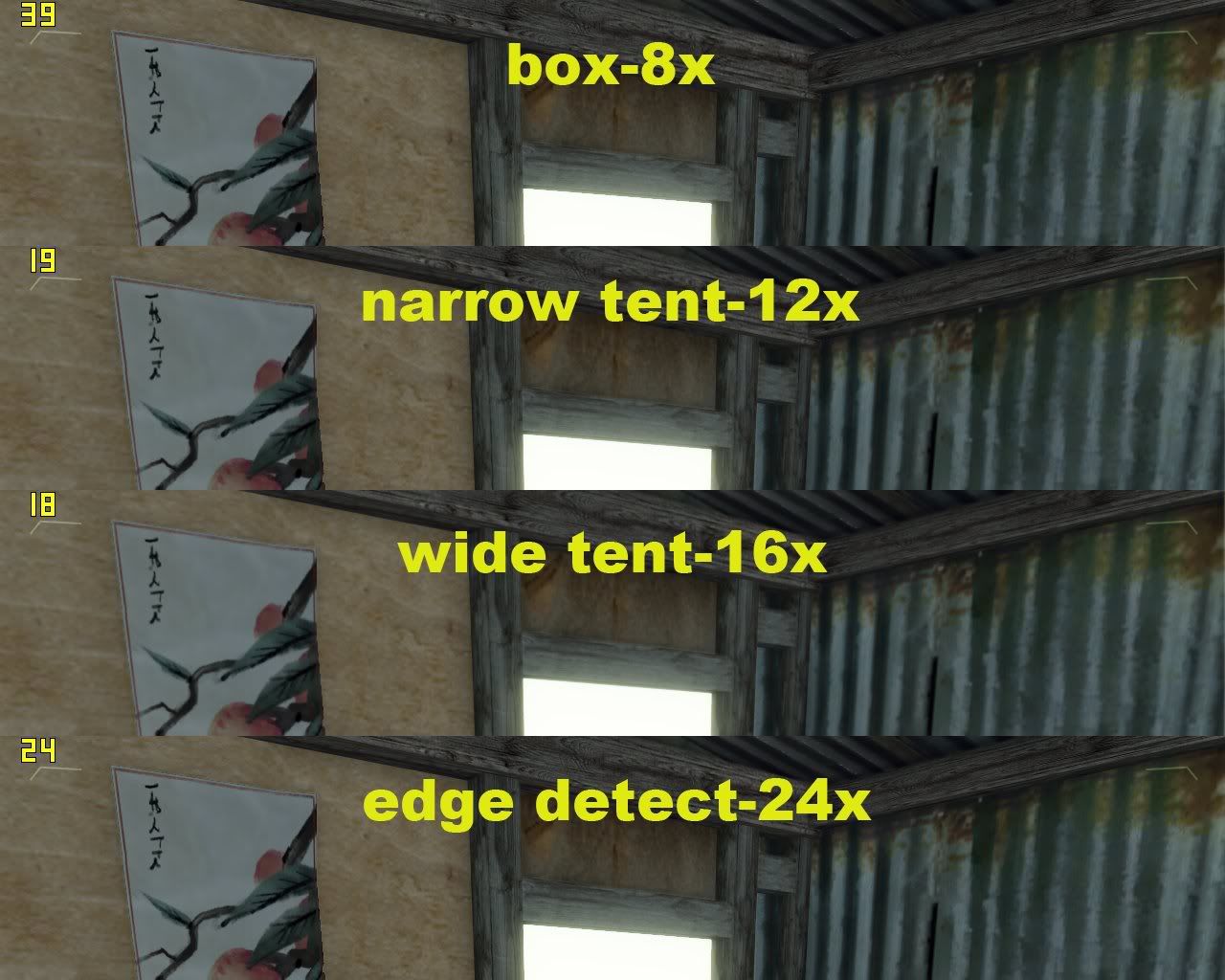
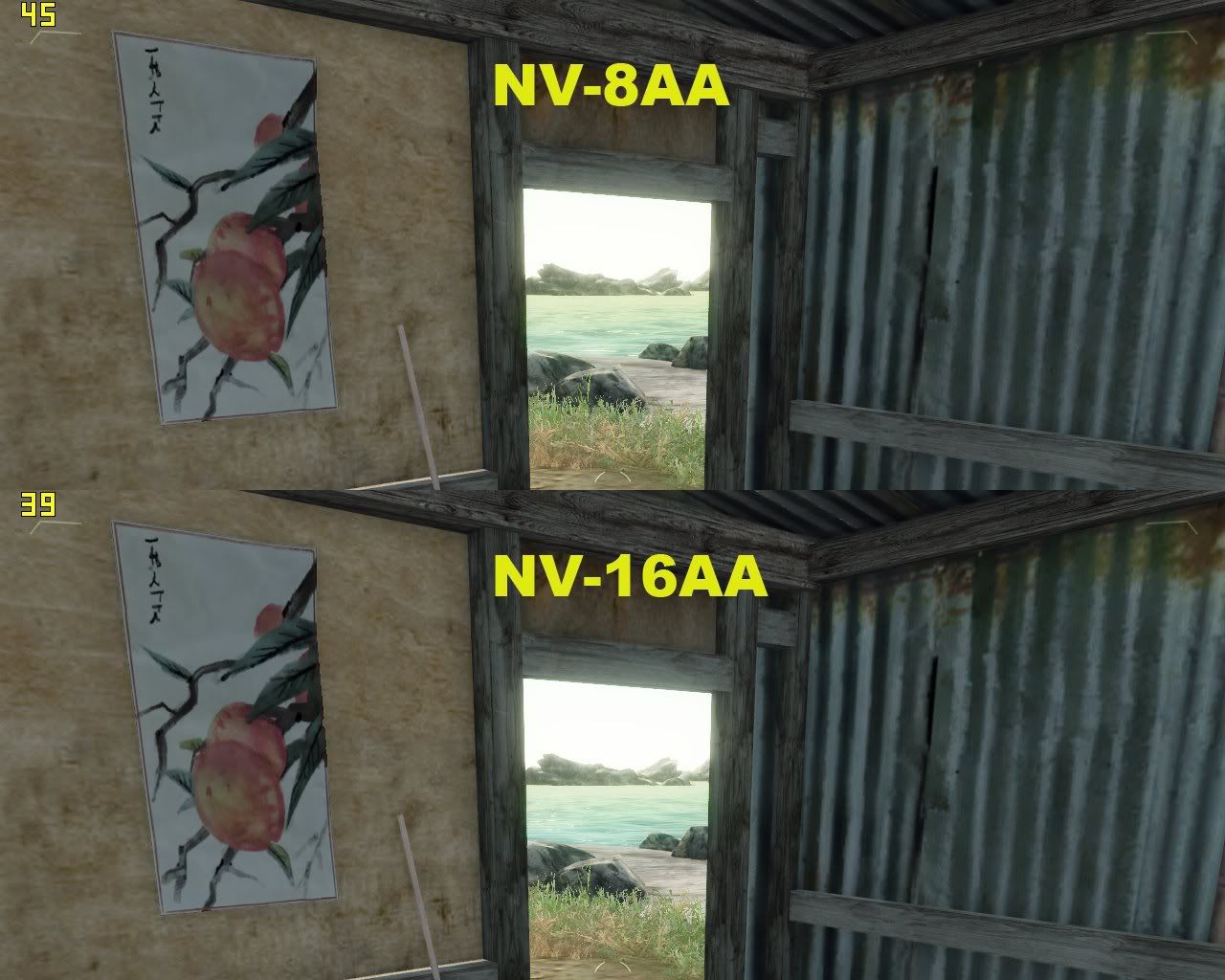
You can find the variation of FPS by different AA settings.
ATI’s box mode has the best efficiency,
but its Tent mode will cause a big drop on FPS,
still it can smooth the edge of the lightsource and other textures perfectly!
NV’s 16AA is better than 8AA, but not so easy to make out.
 
Another blow for NVIDIA. Nothing like undeniable proofs that ATI picture quality is miles ahead.
 
Nice work. Thanks for taking the time to edit all these pictures and give us actual data. Still, I have a feeling this thread isn't going to end well. Nvidiars will argue that the difference is miniscule, and ATIers will surely oppose them. Funny how these things work. We all want to defend our measly purchases.
 
Looks like Nvidia may be sacrificing Image quality in order to not take too much AA hit.

thanks a lot dude for doing this !
 
This thread epically fails,


b/c he didn't HL2:EP2! Communist, why didn't you test EP2?
 
ati looks much better using AA. I also think the games look better with ATI in crysis and oblivion. However, in Two Worlds Nvidia looks better to me accept for the AA
 
So do you guys break down your images and blow them up this big while playing? I don't really see what the difference is between the ATI and NV ones. I had to squint really hard to tell any difference in anything to be honest.

I guess if you guys play your games on 500" screens then this insane amount of quality is important...They both look equally great in my opinion.
 
This thread epically fails,


b/c he didn't HL2:EP2! Communist, why didn't you test EP2?

Gotta love how everyone says epic fail to everything these days.

Maybe just request to test EP2 and maybe it'll be done?:D
 
Can tghe aplications used also change the results? Are there games that nvida does better AA in? On the flip side what about the performance hit? Does the better image quality take a bigger hit in FPS?

Goos job with the images, that must have taken some time.
 
I've got one problem with this. The angles on the images for NVIDIA and ATI are different. That throws things off quite a bit in my opinion.

Maybe I'm missing something but that's how it looks to me.
 
So do you guys break down your images and blow them up this big while playing? I don't really see what the difference is between the ATI and NV ones. I had to squint really hard to tell any difference in anything to be honest.

I guess if you guys play your games on 500" screens then this insane amount of quality is important...They both look equally great in my opinion.

Eh, I can easily, EASILY tell between ATI and nVidia's 4xAA... I know which one I'd rather have.
 
I just think its funny how shitty Crysis actually looks on inside scenes. Im not referring to the AA but just the graphics themselves. The inside scenes especially the huts and all the objects inside are horrid looking compared to the outside vistas. Sadly even on very high settings the indoor scenes look they are from 2003. :eek:
 
I hate to say this (cause I have a GTX 280 arriving tomorrow), but it appears, without a doubt, that the ATI AA is much better than nvidia's. Maybe reviewers need to compare ATI's 4x AA to nvidia's 8x AA until things change.
 
Wow, I just started playing with AA now that I got my 4870, glad I got it :)

Also great job walkingdog, it takes awhile to compile results like these, great effort.
 
Another blow for NVIDIA. Nothing like undeniable proofs that ATI picture quality is miles ahead.

Great hyperbole there. I can't tell a huge difference. The Nvidia shots (when the angles are the same - see the Oblivion ones) seem only a little less smooth at certain settings. Conversely, the Two Worlds ATI shots seem to have less contrast. They really both look great and if you fret and worry over minutiae such as a near microscopic jaggy you really need to get out more. ;)

I'm not expecting different card types/brands to behave exactly the same. A comprehensive test of a number of cards within a brand with most current drivers available at the time of testing is about the only way to get something reasonably concrete. And toss in anisotropic filtering performance while your at it - it all ties together. Even then its not really of great importance - they both do a good job and I'd rather be playing games than examining them that closely.
 
Gotta love how everyone says epic fail to everything these days.

Maybe just request to test EP2 and maybe it'll be done?:D

Okay I will axe him nicely.

Can you please test Half Life 2: EP2?

Before I blow your brains out? ;)

(J/K dude, but if you could test EP2 it would be greatly appreciated).
 
I posed this in the other thread where you posted all these images:

Now I don't know what resolution you ran at, but your pictures were @ 1280x1024 so that is what I set mine to, and I also enabled 8xAF, 8xQ AA in the control panel:

2nqe7x0.jpg


Now using 8x CSAA, which seems closer to yours but still better:


I don't know why your IQ is so bad
 
The original Poster seriously needs to supply more information about what AA modes he was using.

Nvidia has 2x, 4x, and 8x MultiSampling modes, 8x and 16x CoverageSample modes, as well as 4x, 8x, 16x, and 32x SuperSampling modes. CoverageSampling is the default AA mode for Nvidia cards, it's the fastest, but also the lowest quality.

If he was comparing ATi's 8x SuperSampling against Nvidia's 8x CoverageSampling, then the above screenshots are worthless. He needs to go back and make sure that both cards were running the same AA mode.
 
The original Poster seriously needs to supply more information about what AA modes he was using.

Nvidia has 2x, 4x, and 8x MultiSampling modes, 8x and 16x CoverageSample modes, as well as 4x, 8x, 16x, and 32x SuperSampling modes. CoverageSampling is the default AA mode for Nvidia cards, it's the fastest, but also the lowest quality.

If he was comparing ATi's 8x SuperSampling against Nvidia's 8x CoverageSampling, then the above screenshots are worthless. He needs to go back and make sure that both cards were running the same AA mode.

Exactly, look at my pictures above

IMO, they are very close to the same spot and mine look WAY better
 
The .bmps are 4mb, I have nowhere to host them...

Plus they look better than those jpegs, so just imagine that pic looking even better...

ALSO, wtf is wrong with these boards, all of the replies are out of fracking order
the forums are screwed up. I quoted someone in another thread and my reply somehow ended up posting in front of theirs. :confused:
 
Nice job on this post; thanks for the comparison. When I buy a video card, I get whatever is best for around $200. I don't care if it's ATI, nVidia, Hasbro, etc., so I'm probably not the target audience for this thread, but when I see these pics...yeah, I see a small difference, but when I'm running around in a game I don't notice this stuff. If it's a choice between these differences and a FPS difference, I'd go with better FPS because in my opinion, this affects me more than jaggies that I won't notice while moving. "Better AA" will just never be a selling point for me. Smoother at higher resolution is better in my opinion...of course, having the best of both worlds is fine also. :)
 
Another blow for NVIDIA. Nothing like undeniable proofs that ATI picture quality is miles ahead.

Fafafafafafannnnboyyyyyyyyy.

What was the first blow? I like how you phrase it as though it's undisputable that there have been other blows and they're hurting somehow.. That's called framing the argument :)

What's really weird is that the angles are totally borked in the shots.
 
Looks like Nvidia may be sacrificing Image quality in order to not take too much AA hit.

thanks a lot dude for doing this !

How could you even say something like that? Do you even have proof that this "sacrifice" buys any performance? What an outlandish accusation.
 
The most amazing thing in this thread is, I've found someone else who plays Two Worlds. :D

Two Worlds is great.
 
Except for the super blown-up clips, I personally can't tell the difference.

Agreed. You won't notice the difference unless you stop and REALLY look. Greater image quality is great, but since you aren't going to squint at your monitor all the time, I'll sooner take a hit in the image quality area for a FPS gain - you'll notice a low framerate faster than you will that ATI's 8xAA looks better than nV's 8xAA.
 
Agreed. You won't notice the difference unless you stop and REALLY look. Greater image quality is great, but since you aren't going to squint at your monitor all the time, I'll sooner take a hit in the image quality area for a FPS gain - you'll notice a low framerate faster than you will that ATI's 8xAA looks better than nV's 8xAA.


It all depends. With stationary images, you wont notice the difference unless you look closely. But on moving images it can be a very different story.
 
Fafafafafafannnnboyyyyyyyyy.

What was the first blow? I like how you phrase it as though it's undisputable that there have been other blows and they're hurting somehow.. That's called framing the argument :)

What's really weird is that the angles are totally borked in the shots.
i think 4xxx series :D
 
It all depends. With stationary images, you wont notice the difference unless you look closely. But on moving images it can be a very different story.

I really do disagree. The differences we are talking about here are minute - so minute you won't notice unless you sit still and look at the image for a while, and then do an A/B with the opposite card.

We aren't talking about 8xAA vs 4xAA here, we're talking about one version of 8xAA vs another version of 8xAA.
 
Maybe you guys still don't get it

This guy's AA looks much worse than what NVIDIAs AA renders like on my GTX 260

His picture(s): (Looks like no AA)

Oblivion.jpg


Mine:

2nqe7x0.jpg


His 8xAA Comparisons:

Oblivion8AA.jpg


One would think my shot should be the same as his "8xAA" shot, but they aren't even close IMO

If I knew where he took the Crysis shots I would compare as well.
 
for us broke guys...

ati 2600xt vs my fiance's 8600gt... my ati with AA off, was less jaggy and looked better, fealt smoother than 8600gt... even sometimes the quality of images looks better than my 9600gt.

now comparing 9600gt vs 8600gt... when i turn on 2xaa for 8600gt it almost does nothing, even 4x. in team fortress 2. however 9600gt in tf2 with 2xaa looks like 8xaa with the 8600gt.

i'm hoping both techs are getting better. were stuck until parallel processing emerges or some tech leaping tech comes out... right now each generation is a smidge better than the rest. 45fps in a game with a 600$ vid card is not worth it... when the 150$ vid card gets 25... both suck.

we need something that gives 8xAA or better and 60fps in all modern games... that tech does not exhist yet under 1200$ lol
 
we need something that gives 8xAA or better and 60fps in all modern games... that tech does not exhist yet under 1200$ lol
That was one of the main points of DX10.1: mandatory 4X AA. But, since nVidia never supported it, you don't see it as so main stream. However, I wonder if that's why ATI's cards take less of a performance hit from AA?
 
Maybe you guys still don't get it

This guy's AA looks much worse than what NVIDIAs AA renders like on my GTX 260

His picture(s): (Looks like no AA)

One would think my shot should be the same as his "8xAA" shot, but they aren't even close IMO

If I knew where he took the Crysis shots I would compare as well.

Could very well be his individual card. Need several samples from different classes of Nvidia cards to get something conclusive. He's using one from three gens back (well, 2 1/2) in addition to the possibility his card is bum or AA wasn't forcing well with that particular driver in Oblivion (gotta do it through the Nvidia control panel since the game doesn't support AA & HDR - different driver sets and cards have different results).
 
Could very well be his individual card. Need several samples from different classes of Nvidia cards to get something conclusive. He's using one from three gens back (well, 2 1/2) in addition to the possibility his card is bum or AA wasn't forcing well with that particular driver in Oblivion (gotta do it through the Nvidia control panel since the game doesn't support AA & HDR - different driver sets and cards have different results).

When I get my GTX280 later this week, I will check it out....might even look tonight (in oblivion) - where was that screenshot from, right as you enter the main city?
 
Maybe you guys still don't get it

This guy's AA looks much worse than what NVIDIAs AA renders like on my GTX 260

His picture(s): (Looks like no AA)

Mine:

His 8xAA Comparisons:

One would think my shot should be the same as his "8xAA" shot, but they aren't even close IMO

If I knew where he took the Crysis shots I would compare as well.

I don't know if this is what is causing the difference, but he did specifically take pictures in Crysis where the edge was up against a (bright) light source. His Oblivion pictures are against a very bright, white-ish sky whereas yours are against blue, indicating that the light isn't directly behind it. I am also guessing that edges against a light source magnify the differences in AA. Try putting the light behind your edges?

That's the only thing I can think of.
 
Back
Top