![[H]ard|Forum](/styles/hardforum/xenforo/logo_dark.png)
If your having cod4 performance issues with vsync on try changing these lines in your single player and multiplayer cfg profiles. I went back to 8.9s again as they are indeed the best performers.
Change this setting:
seta com_maxfps "0"
to this:
seta com_maxfps "60"
Alright guys, I have finally solved the cod4 choppiness issue that I griped about in my "4870x2 dissapointment" thread. I can finally say with great relief that the problem was definitely bad drivers. I would behoove everyone that has a 4870x2...experiencing any kind of performance issues to use version 8.54 ASAP. Supposedly the 8.54 drivers are actually 8.9 betas...and if that is true...this is an excellent preview of what the 4870x2 is all about....and we have a lot to look forward to when the official 8.9 drivers come out. I'm definitely holding on to this thing now!
Note before I installed these drivers on vista 64...I made sure to install all the vista updates, chipset driver, etc. I also installed a Karma Bay cooler and a pci slot exhaust right below my 4870x2...I'll take pics later today. Not sure if these variables made any kind of impact on what I'm seeing...but I'm pretty sure it's the 8.54 driver version that made the difference.
Alright, you can download the 8.54 drivers here: 116mb version
http://rapidshare.com/files/138655128/Catalyst_8.54.rar
Or the huge version. Note I had success with this version, it's over 300mb in size
http://www.megaupload.com/?d=U7USVHPY
I found these links at rage3d.com here: Page 2 post #51..
http://rage3d.com/BOARD/showthread.php?t=33929301&page=2
Installing them was tricky, as I would constantly get errors. So here is what I did to successfully get them installed correctly on vista 64.
- Uninstall your current catalyst drivers through the usual way via control panel.
- Run Driver Sweeper
- Restart
- Extract the catalyst ver. 8.54 drivers
. Go to device manager...then click on display adapters...and right click on the "standard vga adapter" and click update drivers
- click browse my computer and browse through the driver folder...specifically Catalyst 8.54/Packages/Drivers/Display
- Then I believe you click next and it will ask you if you want to install the driver and click yes.
- It will prompt you to restart...so restart.
- Once back in windows...install the catalyst drivers as you normally would...clicking the setup icon.
- Choose custom install...and deselect unnecessary stuff like media center...all you really need is the display driver and CCC.
- After you restart, go to the CCC panel and click the information panel and you should see this:

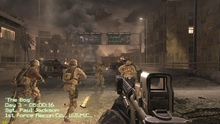
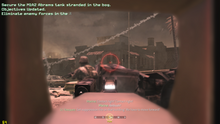
I played cod4 after I did this and everything was not only smooth, it was crisp....and this was at a mere 3.06 OC on my Q6600. Just visually stunning....and definitely worth playing through the cod4 single player game again. Settings were at 1920x1200 4xaa/16xaf..everything maxed. I was very impressed, and I haven't seen this game this smooth since my 8800 ultra sli set up. I am also relieved as I was actually going to return this card tomorrow . I know Dan has the same issues as I do and I'm pretty sure that if he installs these drivers, he'll finally be able to get rid of his gtx280s...maybe . I would definitely recommend that everyone with a 4870x2 try these drivers out, and let me know how it goes . I am definitely a believer in the 4870x2.
More good news with these drivers. As I was making this post, I noticed that my idle temps with these drivers went down to 59c. It is a bit cool this morning though...just thought I'd throw this in there. Note that this is on auto mode...I made no adjustment to the .xml profile to manually speed up the fan.

Change this setting:
seta com_maxfps "0"
to this:
seta com_maxfps "60"
Alright guys, I have finally solved the cod4 choppiness issue that I griped about in my "4870x2 dissapointment" thread. I can finally say with great relief that the problem was definitely bad drivers. I would behoove everyone that has a 4870x2...experiencing any kind of performance issues to use version 8.54 ASAP. Supposedly the 8.54 drivers are actually 8.9 betas...and if that is true...this is an excellent preview of what the 4870x2 is all about....and we have a lot to look forward to when the official 8.9 drivers come out. I'm definitely holding on to this thing now!
Note before I installed these drivers on vista 64...I made sure to install all the vista updates, chipset driver, etc. I also installed a Karma Bay cooler and a pci slot exhaust right below my 4870x2...I'll take pics later today. Not sure if these variables made any kind of impact on what I'm seeing...but I'm pretty sure it's the 8.54 driver version that made the difference.
Alright, you can download the 8.54 drivers here: 116mb version
http://rapidshare.com/files/138655128/Catalyst_8.54.rar
Or the huge version. Note I had success with this version, it's over 300mb in size
http://www.megaupload.com/?d=U7USVHPY
I found these links at rage3d.com here: Page 2 post #51..
http://rage3d.com/BOARD/showthread.php?t=33929301&page=2
Installing them was tricky, as I would constantly get errors. So here is what I did to successfully get them installed correctly on vista 64.
- Uninstall your current catalyst drivers through the usual way via control panel.
- Run Driver Sweeper
- Restart
- Extract the catalyst ver. 8.54 drivers
. Go to device manager...then click on display adapters...and right click on the "standard vga adapter" and click update drivers
- click browse my computer and browse through the driver folder...specifically Catalyst 8.54/Packages/Drivers/Display
- Then I believe you click next and it will ask you if you want to install the driver and click yes.
- It will prompt you to restart...so restart.
- Once back in windows...install the catalyst drivers as you normally would...clicking the setup icon.
- Choose custom install...and deselect unnecessary stuff like media center...all you really need is the display driver and CCC.
- After you restart, go to the CCC panel and click the information panel and you should see this:
I played cod4 after I did this and everything was not only smooth, it was crisp....and this was at a mere 3.06 OC on my Q6600. Just visually stunning....and definitely worth playing through the cod4 single player game again. Settings were at 1920x1200 4xaa/16xaf..everything maxed. I was very impressed, and I haven't seen this game this smooth since my 8800 ultra sli set up. I am also relieved as I was actually going to return this card tomorrow
. I know Dan has the same issues as I do and I'm pretty sure that if he installs these drivers, he'll finally be able to get rid of his gtx280s...maybe . I would definitely recommend that everyone with a 4870x2 try these drivers out, and let me know how it goes . I am definitely a believer in the 4870x2.More good news with these drivers. As I was making this post, I noticed that my idle temps with these drivers went down to 59c. It is a bit cool this morning though...just thought I'd throw this in there. Note that this is on auto mode...I made no adjustment to the .xml profile to manually speed up the fan.